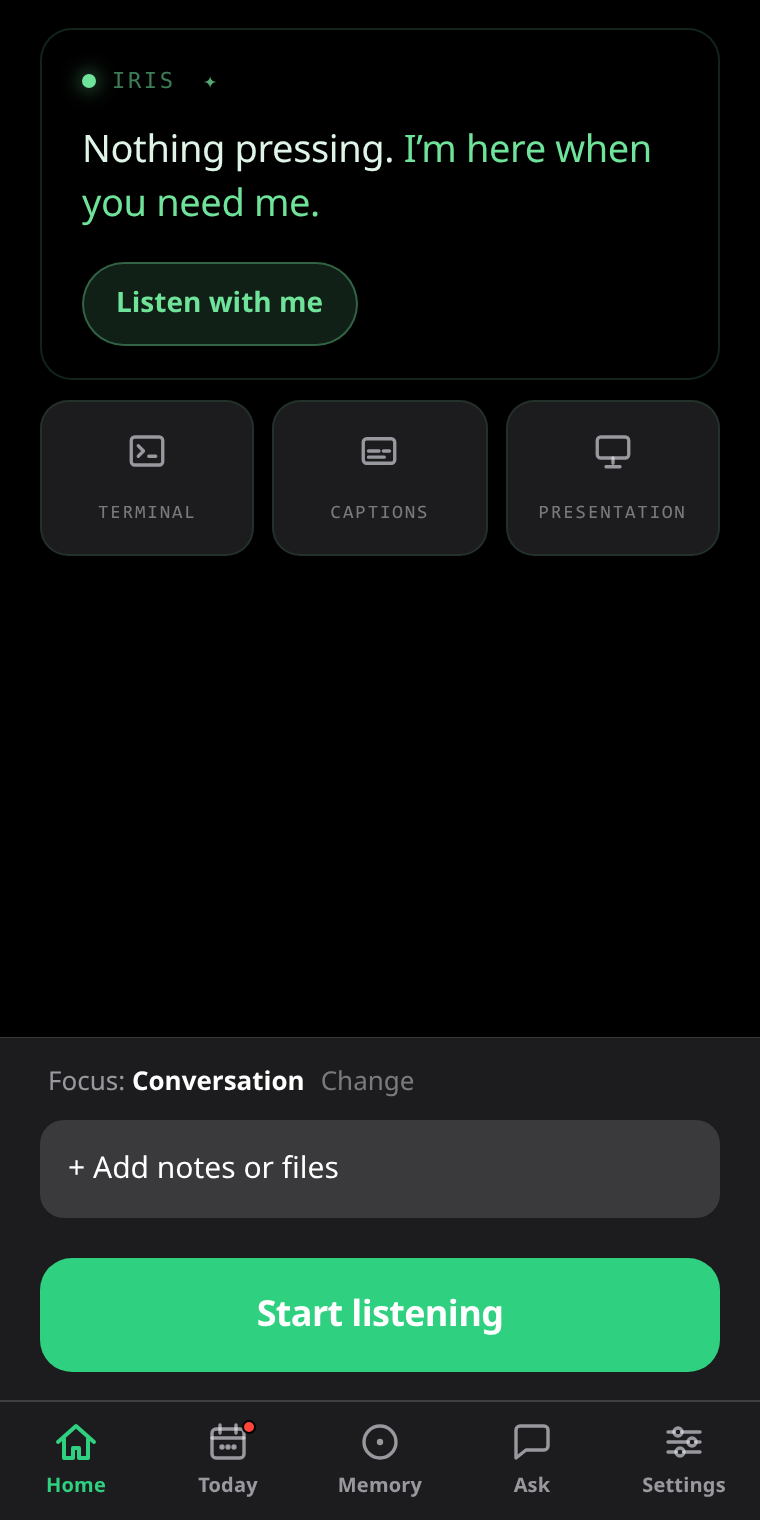
For Even Realities G2 smart glasses

An AI that sees the conversation the way you do. Answers arrive on your lens while the moment is still live — and the summary, the action items and everyone you met are waiting when you take the glasses off.

First 3 sessions free with everything on — no keys, no card.

“Your competitor charges us about half of this.”
Fact-check
Their published rate is $18/seat — you quoted $15.
“Great to see you again!”
Memory
Marcus — met at CES, product lead at Vanta, two daughters, training for a marathon.

What IRIS puts on the G2 heads-up display. Visible only to you.

While it is still happening

The answer arrives before the pause gets awkward.

IRIS listens alongside you and puts what helps on your lens, mid-sentence, without you touching anything. Seven kinds of cue — answers, fact-checks, follow-up questions, advice — and you decide which ones each situation is allowed to use.

  • Backed by live web search when the conversation needs current facts — prices, filings, flight status.
  • Live captions when the room is too loud — nothing recorded, nothing saved, free on every plan.
  • Swipe the ring to change modes without reaching for your phone.
9:41
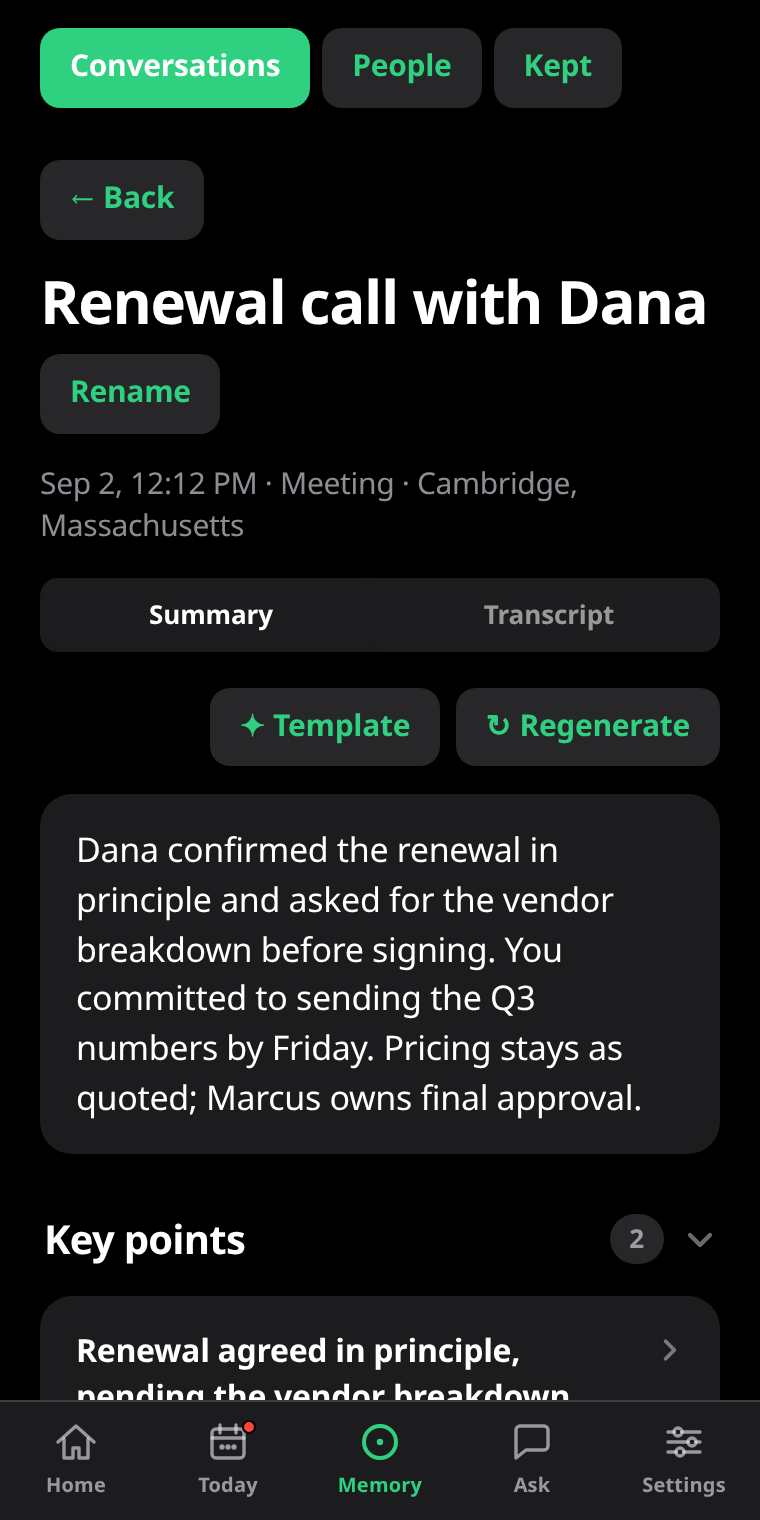
An IRIS session: title, location, the audio recording, and the AI summary of a renewal call.
The part you would otherwise forget

Take the glasses off. It is already written up.

Every session becomes a titled summary, key points with the context behind them, and action items you can actually tick off. The transcript is searchable and editable, with names down the side.

  • Export as a real document — PDF or Word, with headings, not a wall of text.
  • Draft the follow-up email from what was agreed. IRIS writes it, you always send it.
  • Keep the audio in your own private cloud storage, or keep none at all.
9:41
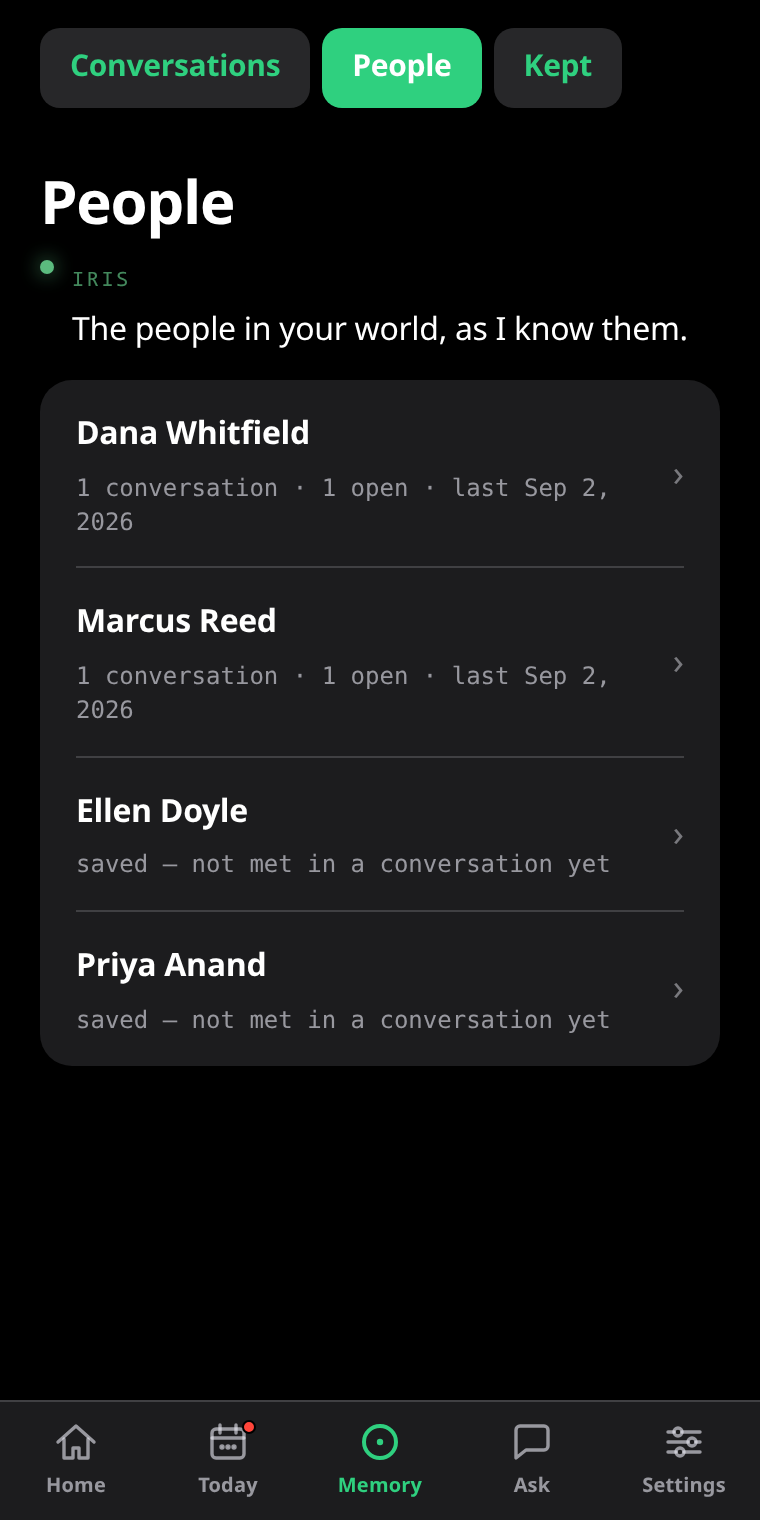
IRIS Memory: people, tasks, events and places IRIS has remembered from past conversations.
Across every conversation

It remembers people, not just words.

Most assistants treat every conversation as if it were the first. IRIS carries people, promises and context forward — so the next time you meet someone, what you need to know is already on your lens.

  • “What did I promise them last month?” — ask across every session you have ever recorded.
  • Correct it like a person. “Sarah’s sister is Amy, not Annie” — and it fixes what it saved.
  • Private modes keep a client’s memories in their own room, never surfacing anywhere else.
9:41
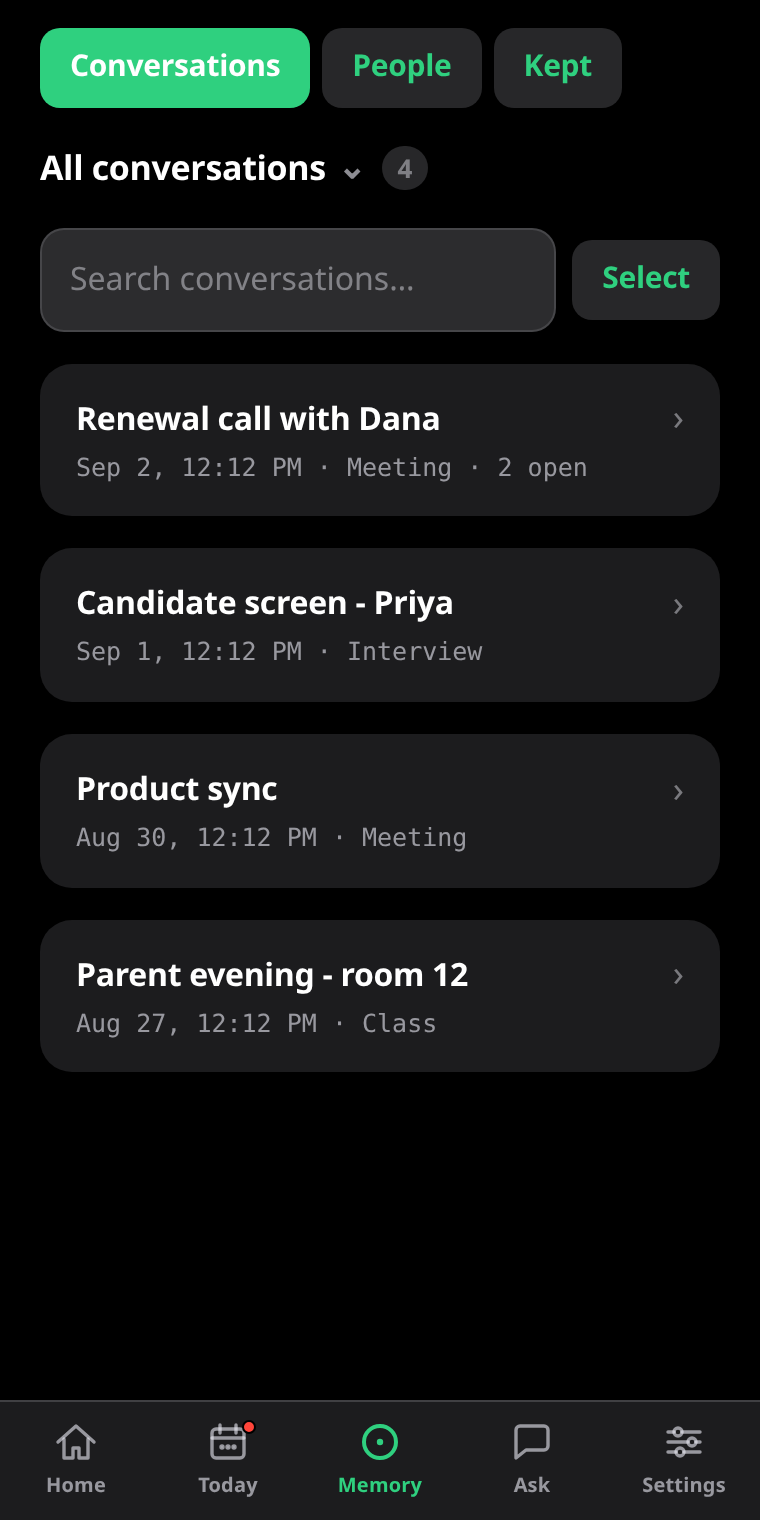
The IRIS library: past sessions filtered by mode, each with its date and recording.
One IRIS per situation

A sales call and a lecture are not the same conversation.

Modes shape how IRIS behaves — which cues it may raise, how talkative it is, what it already knows going in. The defaults are good. Changing them takes a sentence: describe what you need and IRIS writes the mode for you.

  • Your modes are your folders — every session files itself where it belongs.
  • Attach your prep notes and the numbers are on your lens when the question comes.
  • A whole folder, read as one — recurring themes, decisions made, what is still open.
Connected

It fits where you already work.

Your notes, your calendar, your task list, your own agent. IRIS writes into the tools you already use instead of asking you to move into a new one.

Plans

Free to try. Nothing to configure.

Your first three sessions run with everything switched on — no keys, no card, no questions. After that, keep IRIS running on your own API keys for free, or let Pro handle all of it.

Basic

Free · your own API keys
You pay your AI and speech providers directly.
  • Live cues, answers and fact-checks on the lens
  • Live captions — nothing recorded, nothing saved
  • Summaries, key points and action items
  • Modes, quick actions and ring controls
  • Speaker identification — who said what
Get IRIS on Even Hub
3-day free trial

Pro

$14.99 /month
or $149.99 a year · cancel anytime
  • Everything in Basic, with no setup — the AI and speech recognition are included
  • Memory across conversations, and briefings before meetings
  • Live web search behind your cues
  • Obsidian, Google Drive, Google Tasks and Todoist
  • Session recordings in your own private storage
  • Your own AI agent, or any OpenAI-compatible model
Start a Pro trial

Every feature, row by row: the full Basic vs Pro table · IRIS and Conversate compared

Questions, answered.

What do I need to run IRIS?
A pair of Even Realities G2 smart glasses and the Even Hub app on your phone. Install IRIS from Even Hub, open it and tap Start — there is nothing to configure and no account to create.
Is anything recorded?
Only if you turn session recording on. By default IRIS keeps the transcript and the summary, not the audio. Live captions record nothing at all and save nothing when they end. Full detail is in the privacy policy.
What happens after my three free sessions?
Nothing is taken away without you choosing it. You can start a three-day Pro trial, or switch IRIS to your own API keys and keep using it for free. The free sessions run with every Pro feature on, so you find out what you are deciding about.
Can other people see my cues?
No. Cues appear on the G2 heads-up display, which is visible only to the person wearing the glasses.
Can I use my own AI model?
Yes. Basic runs entirely on your own API keys. Pro users can also point IRIS at their own agent — Hermes or OpenClaw — or at any OpenAI-compatible endpoint, including a local Ollama or LM Studio over a tunnel. Setup guide.
What languages does it work in?
Speech recognition and cues cover most major languages, and a session can span more than one at a time. The G2 lens itself renders Latin, Greek, Cyrillic and CJK scripts — it cannot display Arabic, Hebrew, Hindi, Bengali, Urdu or Thai.
How do I cancel?
Through PayPal, where the subscription lives — open your PayPal account, find the IRIS Pro recurring payment and cancel it there. Cancelling stops the next charge, and Pro keeps running until the period you have already paid for ends. Stuck? Email help@eveniris.com.

Try it for three sessions.

Everything is on by default. Install IRIS from Even Hub, tap Start, and see what lands on your lens — no keys, no configuration, nothing to choose.